Giving JSBC access to your Italian Revenue Agency account is the essential first step that lets us check information on your behalf, receive notices, and make important filings for you — here's exactly how to do it in four steps.
What It Is
The Delega Unica is an authorization that permits JSBC to access relevant sections of your Agenzia delle Entrate (Italian Revenue Agency) account. When we have access to your account we can check information on your behalf, receive notices and make important filings for you.
You may complete this authorization through two methods:
- Online via your tax authority profile (recommended)
- Paper form signed with wet ink
You'll need this when completing Step 2: CNNFBA91L18G273K
Step-by-Step Instructions
Access the Reserved Area
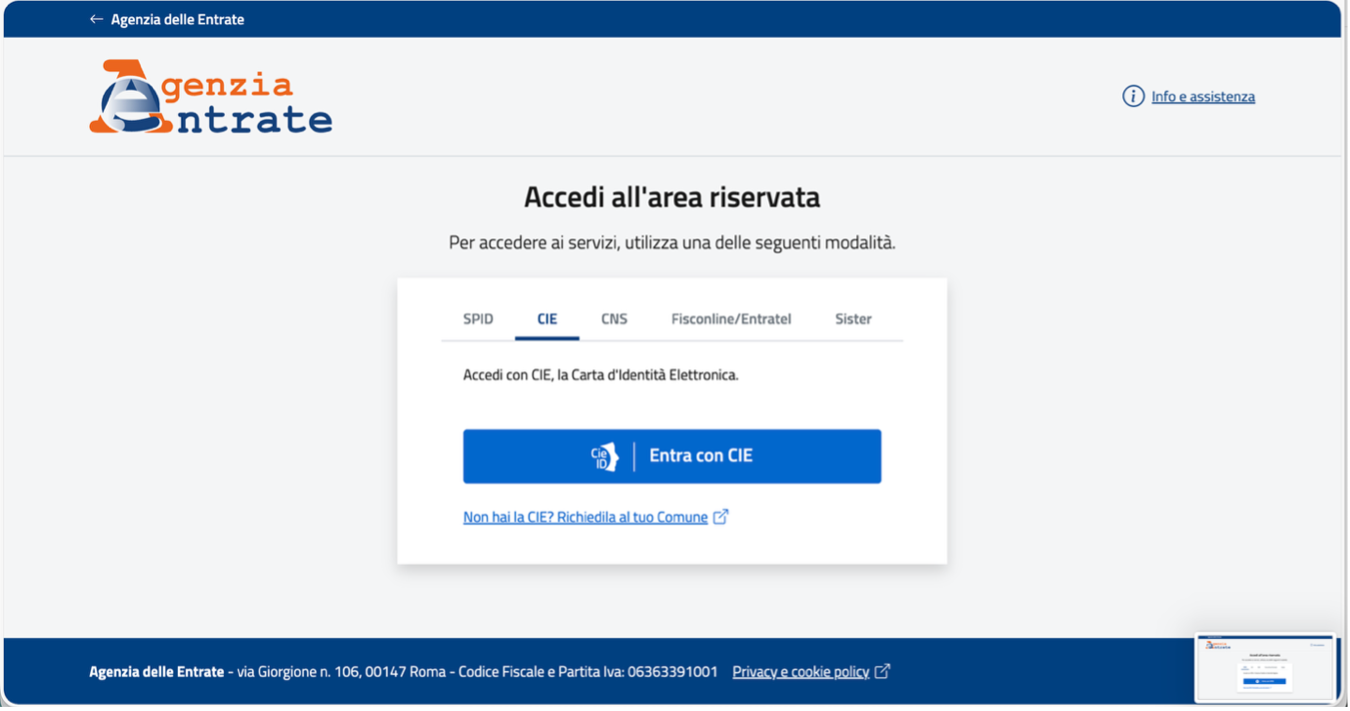
Log into the Agenzia delle Entrate "Area riservata" at iampe.agenziaentrate.gov.it using either:
- CIE — Electronic Identity Card
- SPID — Public System for Digital ID
Navigate to Intermediary Delegations
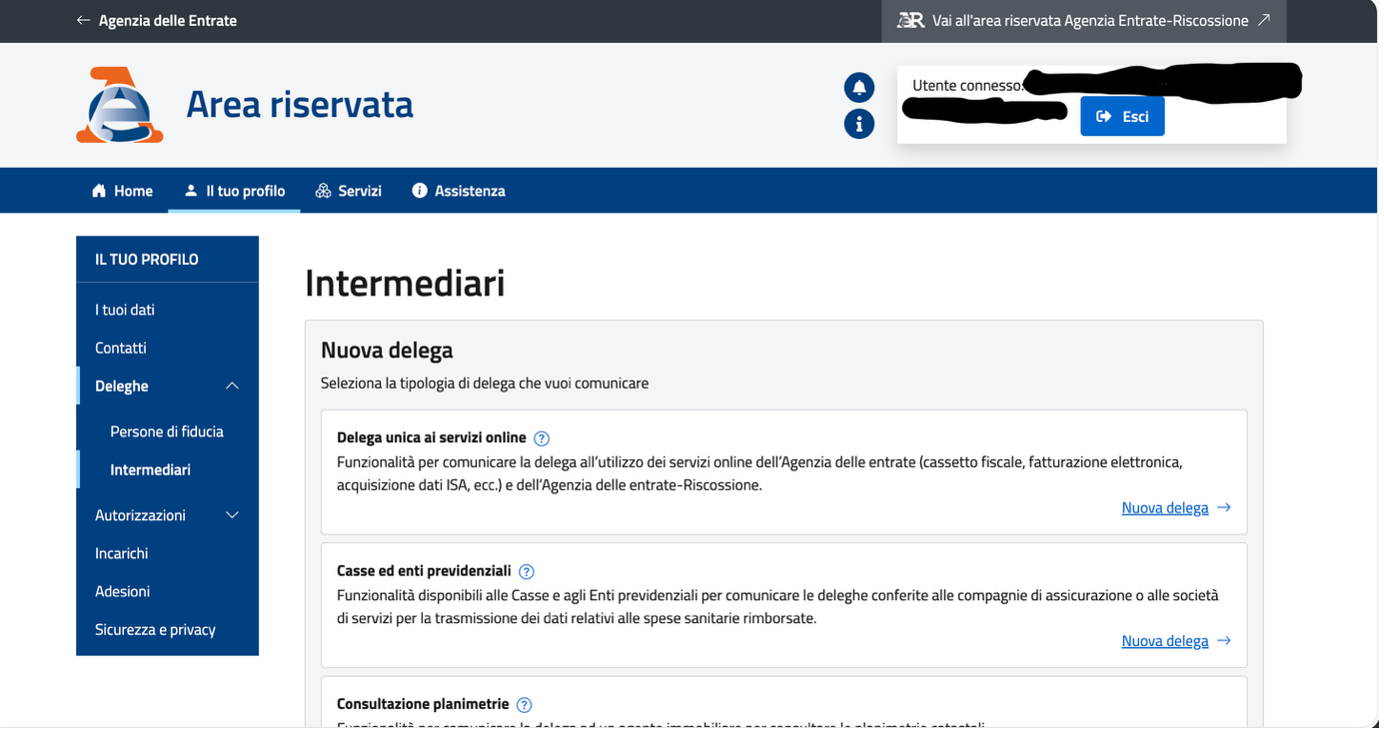
- Select Deleghe (Delegations) from the sidebar under "IL TUO PROFILO"
- Choose Intermediari (Intermediaries)
- Locate "Delega unica ai servizi online" and click "Nuova delega →"
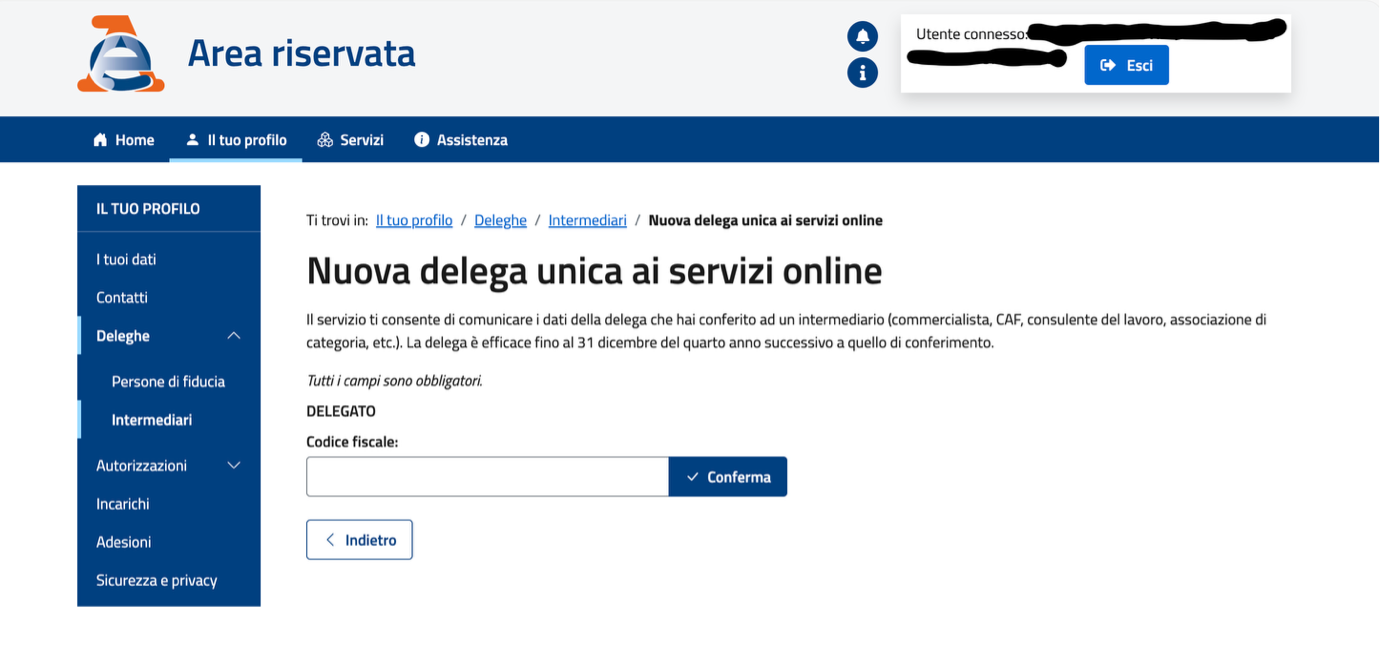
- Enter JSBC's Fiscal Code: CNNFBA91L18G273K
- Click Conferma (Confirm)
Select Authorized Services
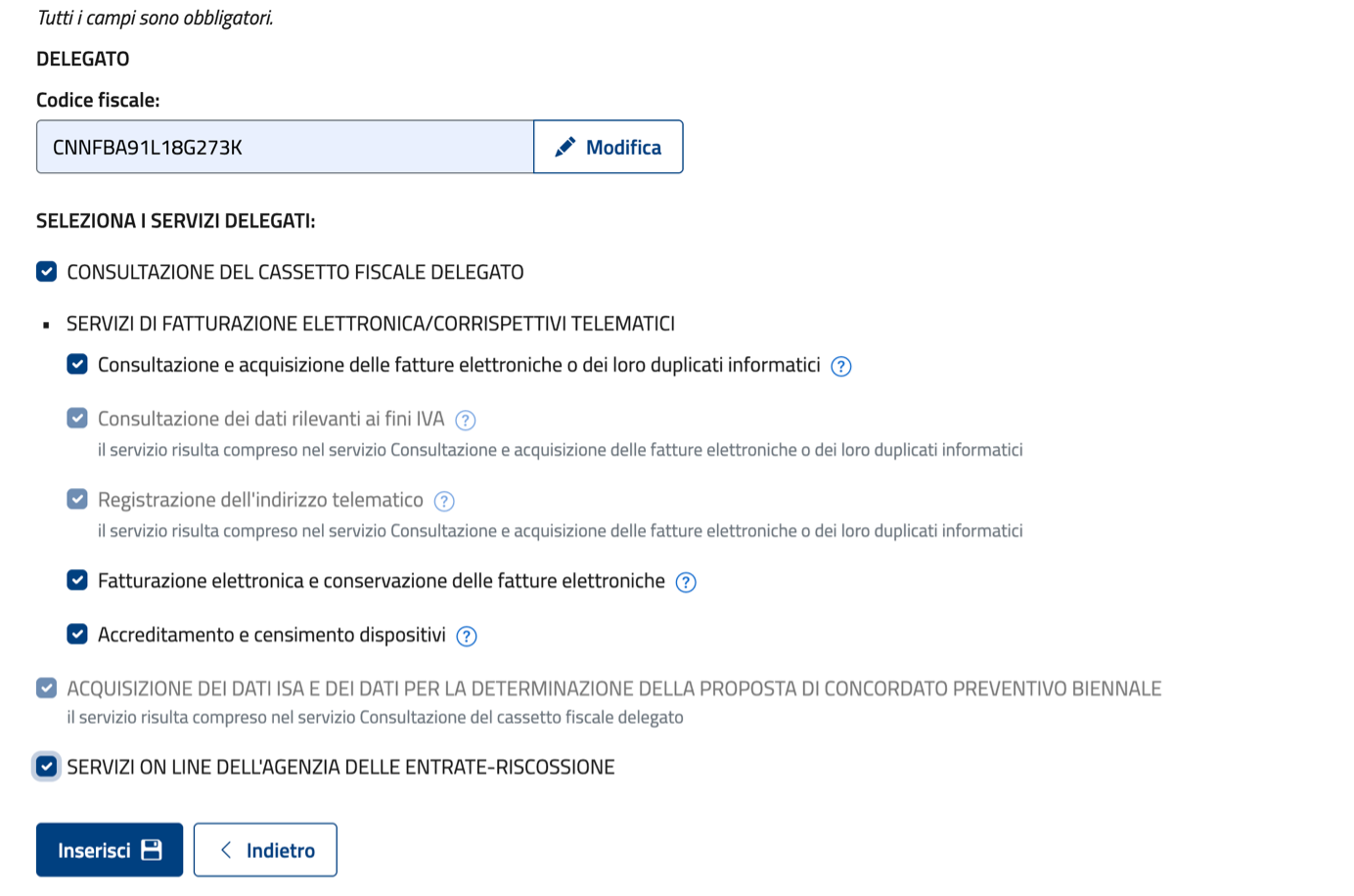
Check all required services:
- CONSULTAZIONE DEL CASSETTO FISCALE DELEGATO
- SERVIZI DI FATTURAZIONE ELETTRONICA
- ACQUISIZIONE DEI DATI ISA
- SERVIZI ON LINE DELL'AGENZIA DELLE ENTRATE-RISCOSSIONE
Click Inserisci to submit.
Final Confirmation
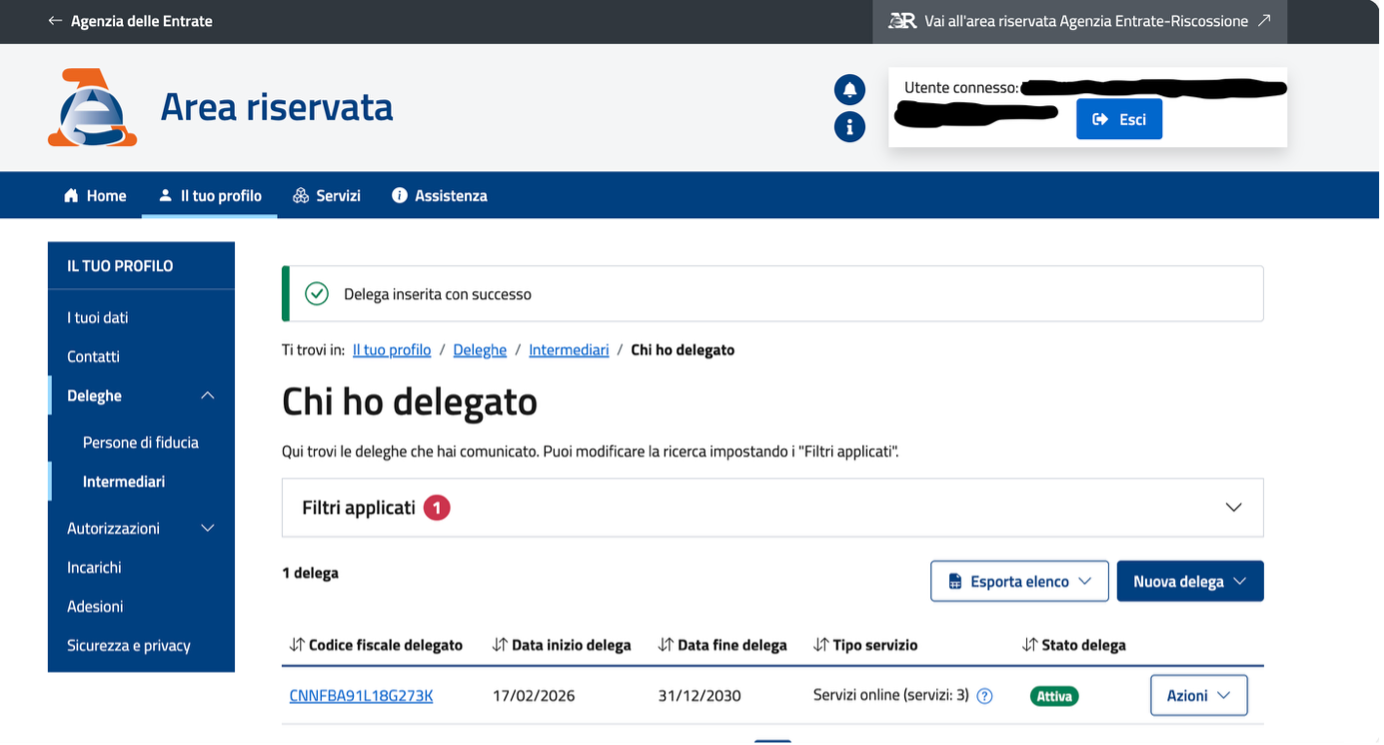
You should see the confirmation message: "Delega inserita con successo." Verify the status under "Chi ho delegato" — the delegation should show Attiva (Active).
Practical Tips
- Duration: Valid until December 31st of the fourth year following authorization
- Management: Modify or revoke through the Azioni (Actions) dropdown menu on your dashboard
- Paper alternative: If you cannot complete this online, contact us for the paper form which requires a wet ink signature
We can walk you through this process
If you run into any issues completing the Delega Unica, our team is available to guide you step by step.
Book a Free Consultation →